Factory and workcell simulation
Manufacturing, assembly and workcells
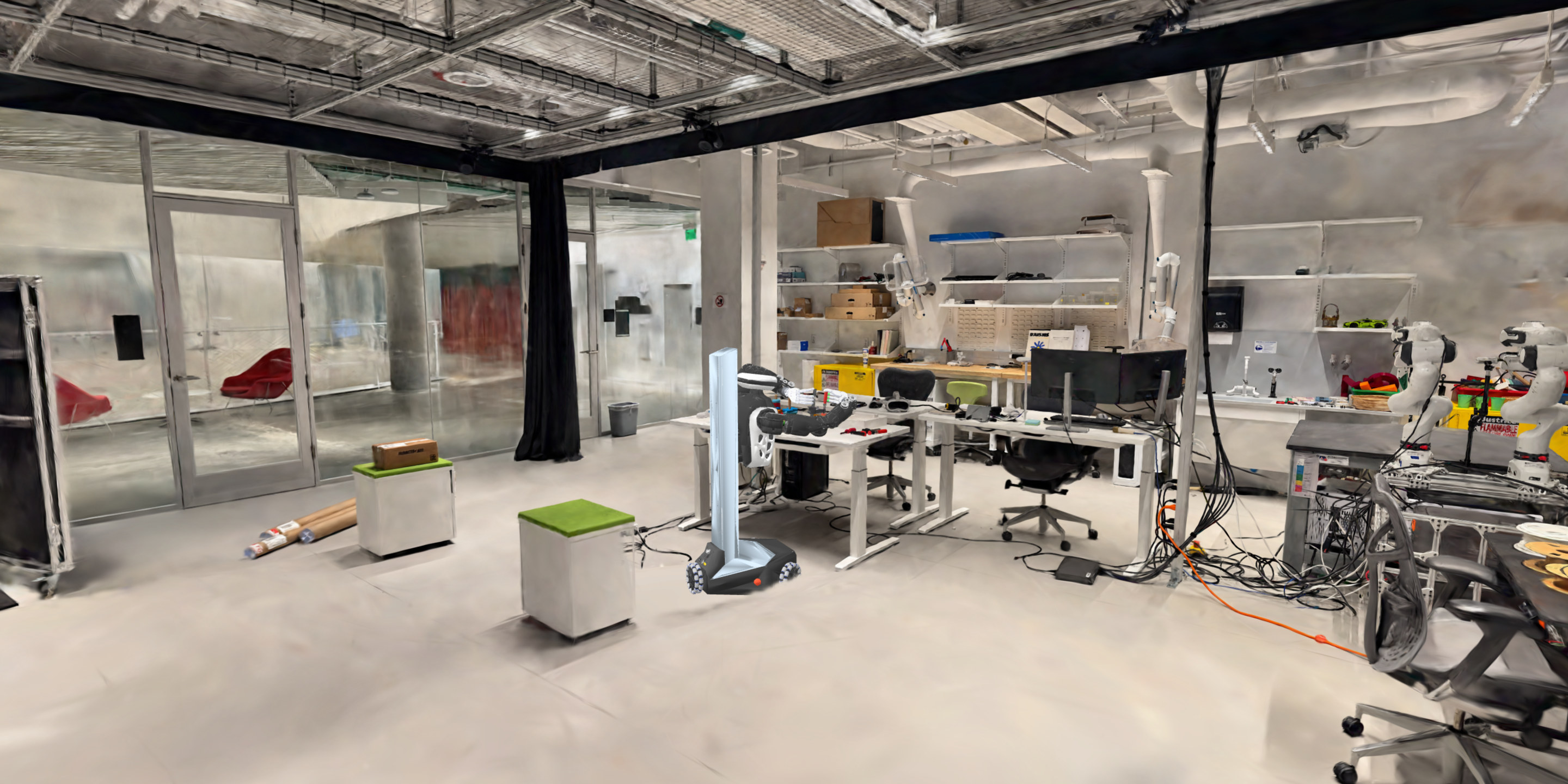
Manufacturers simulate plants and workcells before robots go in. SceneAgent builds a workcell scene from a capture of the real bench. Our example is our own lab, where two robot hands tighten a bar clamp.
What manufacturing simulation teams build
Plant teams build virtual copies of whole factories. BMW has made virtual replicas of its plants with laser scanning. Its Virtual Factory covers more than 30 sites.
Workcell teams work at a smaller scale. They check reach, timings and safety before a cell goes live. Divergent studies reach, access and assembly sequences for its robotic workcells. Audi tests timings, ergonomics and safety for mobile humanoids in a virtual twin of its logistics area.
Many searches in this field are about CAD. Engineers ask how to import STEP files and Onshape models into Isaac Sim, and how to get URDF from SolidWorks. A capture records the bench as it stands. That includes hand tools and fixtures that may have no CAD model.
Who builds factory and workcell simulations
What each source says the team builds in simulation. None of these sources mentions SceneAgent.
- BMW GroupBMW has made virtual replicas of its plants with laser scanning. The replicas are part of its Virtual Factory.BMW Group, Production ↗
- Audi with Agile Robots, Dassault Systèmes and NVIDIAA virtual twin of Audi's logistics environment in Ingolstadt. Feasibility, timings, ergonomics and safety for mobile humanoids are tested in it before deployment.Audi press release, 21 October 2026 ↗
- SchaefflerPhysics-based twins of its plants and of humanoid actuators. Schaeffler plans digital twins in more than half of its manufacturing sites by 2030.NVIDIA customer story ↗
- Wandelbots and SCHUNKNVIDIA describes Wandelbots NOVA with NuRec as a way to turn real facilities into physically accurate simulations. SCHUNK's GROW cell is simulated and validated before go-live.NVIDIA blog, 20 April 2026 ↗
- Path RoboticsPath Robotics builds welding robots. Its post covers GPU-parallel simulation and policy transfer to industrial robots on real factory floors.Path Robotics job post, 7 November 2026 ↗
- Divergent TechnologiesRobotic workcell studies of reach, access and assembly sequences, in Process Simulate on Teamcenter.Divergent job post, 23 November 2026 ↗
A workcell scene from a capture of our lab
Our lab is the workcell on this site. The numbers come from the gallery records and the lab scene.
- 01
Capture the cell
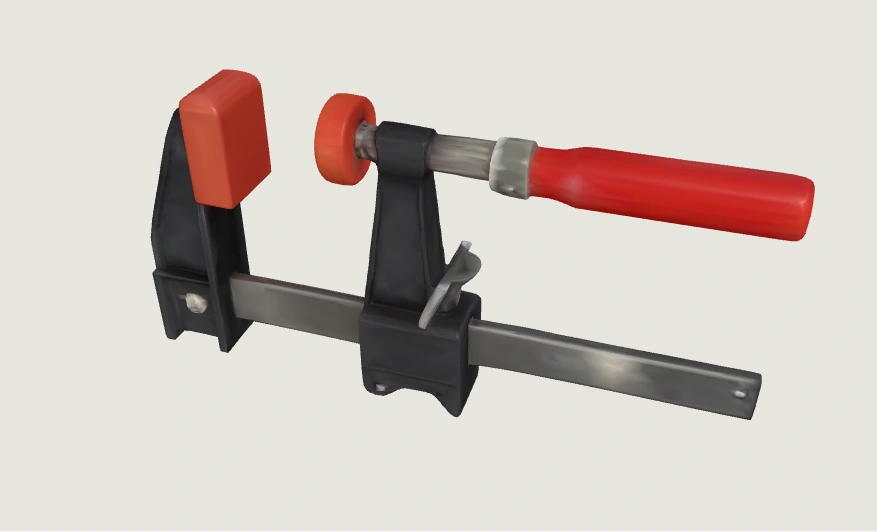
We captured our lab as 3D Gaussians. The red-handled bar clamp on the white table is object 1244 in that capture.
The prompt asked for a simulation scene of the lab with the clamp's jaw and screw articulated. SceneAgent ran its six passes on the capture. The last pass generates object sisters, which are variations of the clamp with geometric or visual differences.
- 02
Split the tool into parts
SceneAgent split the clamp into five parts. They are the bar, the fixed jaw, the sliding jaw, the screw handle and the swivel pad. In the scene, the jaw slides and the screw turns.
Each part carries a material class. The bar and jaws are steel, the handle is polymer and the pad is rubber. These are priors, not measurements.
- 03
Run the task
In the lab scene, a robot with 91 links and two Sharpa Wave hands grips the clamp with all five fingers of each hand. The right hand turns the screw to tighten the clamp around two wood pieces.
The overlay in this film shows pad force and screw travel. Material values in the scene are estimates. They have not been calibrated against the real clamp.
- 04
Mix captured objects with library assets
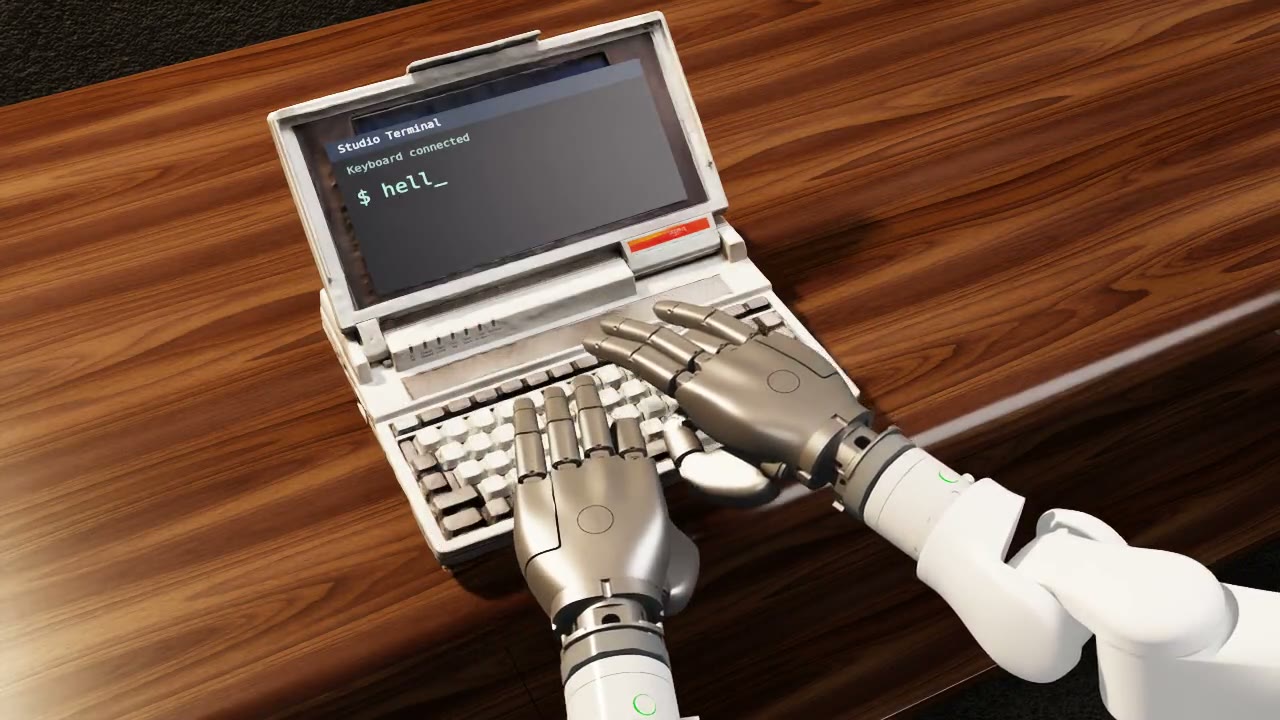
Captured objects and library assets can share one scene. In our typing scene, the packing table is NVIDIA's Heavy Duty Packing Table from the Isaac assets. The laptop and the two plants on it came from Polycam captures.
Both kinds of asset are USD. The table keeps its four meshes, with a walnut finish added for the typing run.
- 05
Assemble small parts
SceneAgent converted a Sketchfab model of an Asus Z170-P motherboard. The run uses the board's converted socket and release lever.
Two robot hands guide a fit-adjusted RX 480 graphics card into the slot. A second film in the gallery follows the connector and the retaining latch as the card seats.
Industrial robots in numbers
- 603,307industrial robots installed in 2025, up 11%IFR World Robotics 2026, industrial robots ↗
- 5 millionindustrial robots in operation, up 9%IFR, 24 September 2026 ↗
- 655,000installations IFR forecasts for 2026IFR, 24 September 2026 ↗
- 30+sites in BMW's Virtual FactoryBMW Group newsroom, 11 June 2025 ↗
More on the method
“Real-to-sim from a 3D scan” follows this same clamp through each step of the conversion. “Articulated objects from 3D scans” covers joints like the clamp's jaw and screw.
For collision shapes and physics records, read “Sim-ready assets from real objects”. All three pages are linked below, with the clamp in 3D.
Questions
What is a factory digital twin?
A factory digital twin is a simulation of a real plant, built from data about it. Teams use it to plan layouts and to test robots and people before changes go live. BMW and Schaeffler describe twins of their plants built with NVIDIA Omniverse.
Can I import a STEP file into Isaac Sim?
Isaac Sim has a CAD converter for formats such as STEP. SceneAgent works from captures, not CAD files. Use CAD for the parts you designed and a capture for the bench as it stands. Both end up as USD.
What does CAD to SimReady mean?
It means adding what a simulator needs to a CAD model. That is a collision shape, mass, friction and joints where parts move. NVIDIA calls its standard for this SimReady. SceneAgent adds the same kinds of properties to objects from a capture.
Can SceneAgent model jointed tools and fixtures?
Yes. The lab bar clamp has five parts, with a sliding jaw and a turning screw. The Sony CFS-43 radio in the gallery has 14 links and 13 joints. Check the joints before you rely on them.
Can I use it for bin picking simulation?
On a cluttered bin from GraspClutter6D, the best SceneAgent run scored an F1 of 60.75% at 1 cm against a scan of the objects. SimFoundry scored 6.9% on the same test. The physics values are predictions and have not been calibrated against the real objects.