SceneAgent MCP
Give your coding agent a simulation scene
SceneAgent runs as an MCP server. Add it to Claude Code, Codex, Cursor, Antigravity or Hermes. Your agent can then upload a capture and follow its conversion to a simulation scene.
Add the MCP server to Claude Code
Create an MCP key in your account. Run this command in a terminal and replace <TOKEN> with your key.
claude mcp add --transport http sceneagent https://app.sceneagent.dev/mcp \
  --header "Authorization: Bearer <TOKEN>"
Codex, Cursor and other agents
Codex reads the server from ~/.codex/config.toml. Cursor reads it from .cursor/mcp.json in your project. Antigravity uses ~/.gemini/antigravity/mcp_config.json and Hermes uses ~/.hermes/config.yaml.
Each entry points at the same endpoint, https://app.sceneagent.dev/mcp, and sends your key as a bearer token. The home page has the entry for each agent, ready to copy.
From capture to scene
The agent manual lists every tool. These four steps cover a conversion from start to finish.
- 01
Upload a capture
Your agent calls upload_and_process_capture with a 3D Gaussian splat as PLY or SPZ, an RGB-D scan or a video clip. SceneAgent registers the scene under your account.
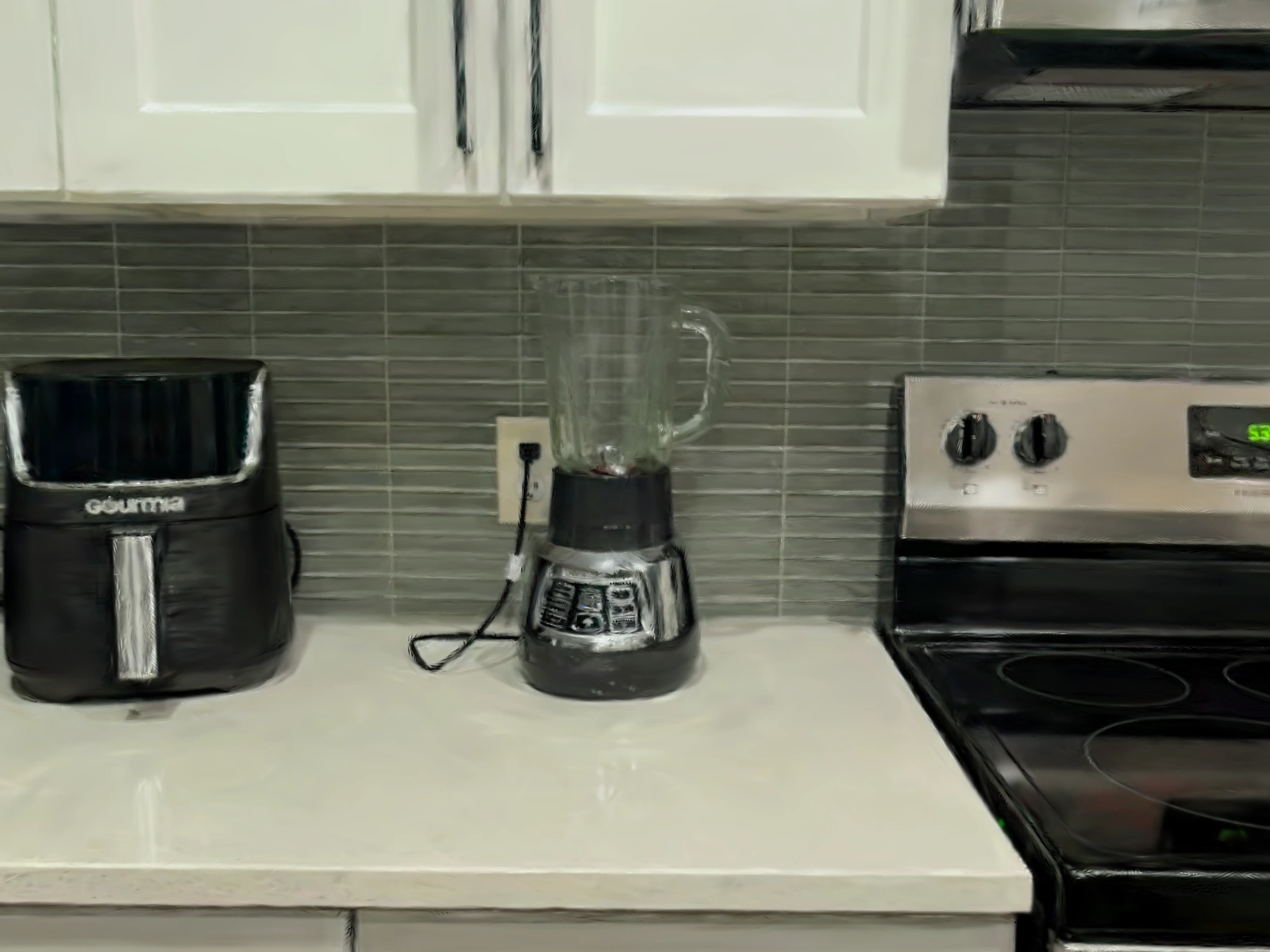
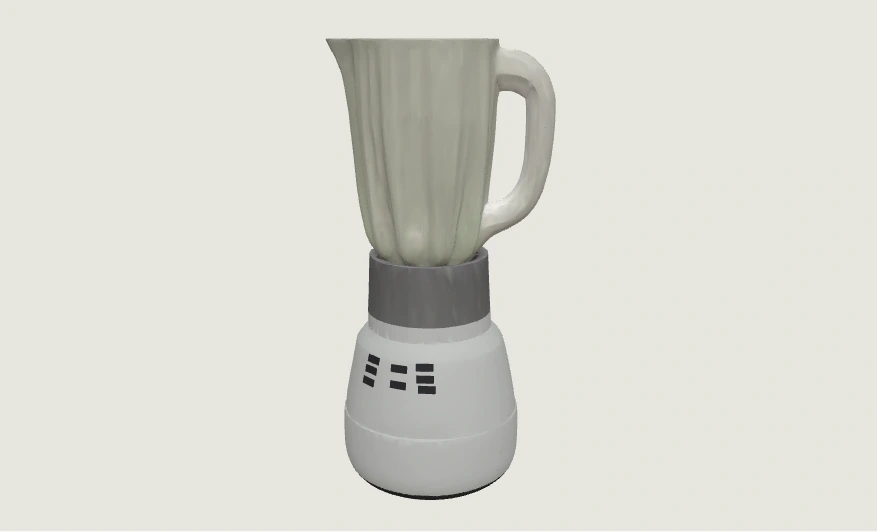
This kitchen was an iPhone capture. The blender on the counter is one of its objects.
- 02
Follow the job
While the conversion runs, get_gpu_job returns progress, review images and clips, gate results and critic verdicts. Your agent calls it again to see the newest evidence.
If a part grouping is wrong or a joint is missing, send_job_feedback passes the correction to the job's own agent. That agent must act on it and acknowledge it.
- 03
Open the scene
Every tool response carries a browserUrl. Your agent's browser opens it signed in, with the 3D scene ready to inspect.
With inspect_scene, the agent can verify object poses, collision meshes and USD articulation before you load the package.
- 04
Run experiments on it
The generate_digital_sisters tool sets up a matrix of lighting, size and material for a scene. The run_experiment_workflow tool launches policy evaluation campaigns.
The results appear on the experiments page of your account. The agent can read them back with get_experiment.
Example prompts
These two prompts produced the lab scene and the iPhone kitchen on this site.
convert the 3DGS capture of our lab into a simulation scene with its clamp's jaw and screw articulated

convert the iPhone capture of this kitchen into a simulation scene with every door, drawer and appliance articulated
Compared with Isaac Sim MCP servers
Isaac Sim has its own MCP servers. NVIDIA documents one for Isaac Sim 6.2. On GitHub, omni-mcp/isaac-sim-mcp gives an agent natural-language control of a running Isaac Sim.
SceneAgent works one step earlier. It turns a capture into the scene that Isaac Sim or MuJoCo then loads. An agent can use both servers in one session, SceneAgent to build the scene and an Isaac Sim server to drive it.
MuJoCo users load the same USDZ package. The Sony radio and greenhouse runs on this site were recorded in MuJoCo.
With and without SceneAgent
- 99.09%mean dynamic IoU with SceneAgent on three 4DCodeBench scenes, against 0.86% without it. The agent was Gemini 4 Argon in both runs.SceneAgent paper ↗
- 3 of 34DCodeBench tasks finished within the time limit with SceneAgent. Without it, none finished. The run with SceneAgent used 14.85M tokens, against 10.25M.SceneAgent paper ↗
- 5coding agents with a ready MCP entry. They are Claude Code, Codex, Cursor, Antigravity and Hermes.Connect your coding agent ↗
- 17 of 25simulation job posts read on 26 November 2026 ask the engineer to build simulation environments, scenes or worlds. Amazon's Fauna post asks for workflows to generate and manage scenes and assets.Amazon job post ↗
Questions
What is an MCP server?
MCP is the Model Context Protocol. An MCP server gives a coding agent tools it can call. SceneAgent's server has tools for captures, conversion jobs, scenes and experiments.
Is there an MCP server for Isaac Sim?
Yes. NVIDIA documents an Isaac Sim MCP server, and omni-mcp/isaac-sim-mcp is an open-source one. They control a running Isaac Sim. SceneAgent builds the scene that Isaac Sim loads, and the two can run in the same agent session.
Can I use Claude Code with Isaac Sim?
Yes. Add SceneAgent to Claude Code with the command above. SceneAgent returns scenes as USDZ for Isaac Lab, which runs on Isaac Sim.
Does it work with MuJoCo?
Yes. SceneAgent packages scenes as USDZ for Isaac Lab, MuJoCo, Unreal Engine and other simulators. The Sony radio and greenhouse runs on this site were recorded in MuJoCo.
Which coding agents can connect?
Claude Code, Codex, Cursor, Antigravity and Hermes have ready entries. Any agent that speaks MCP over HTTP can connect to the same endpoint with your key.
What does the agent need to connect?
An MCP key from your SceneAgent account. The agent sends it as a bearer token with each request.